
RD Manager Online 1.7.1.0 gives RD7200, RD8200 and RD8200G owners a free upgrade to sonde locating. Radiodetection says the new method delivers greater precision and more consistent results, and it installs from your PC in a few minutes with no service centre visit.
The same update adds a simplified configuration profile that switches on the most common features by default to cut setup time. It also relabels the 4096 Hz frequency on the receiver as 4K, so the receiver and transmitter displays match. Each change is covered below, followed by the install steps. The update is available now from Radiodetection’s download page.
New Sonde Mode for the RD7200, RD8200 and RD8200G
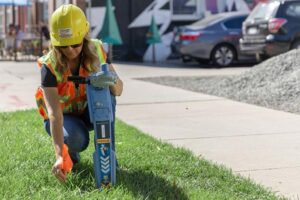
The new sonde locating method is free for existing RD7200, RD8200 and RD8200G owners and arrives as a firmware update through RD Manager Online. Radiodetection markets it as Sonde Locate Performance, and says it is designed to give greater precision and more consistent results in changing signal conditions. According to its FAQ, the update needs no new equipment and no service centre visit.
Sondes are used to track pushrod and crawler cameras through pipes and conduits. The three locators support four sonde frequencies, and the new mode works with all four. The frequency selected on the locator must match the frequency of the sonde in use.
A locate runs in two phases:
- Initial locate. Select the matching sonde frequency and follow the signal strength bar graph towards the sonde. The signal peaks as you approach, and moving left and right centres it.
- Pinpointing. When the Sundial appears, hold the locator vertical and rotate it until the Sundial shows East-West alignment. Then use the directional arrows to fine-tune your position until the Sundial disappears and the depth is displayed automatically.
The left and right arrows guide you to the position directly over the sonde, and the forward and backward arrows show the direction of the sonde along the pipe or conduit.
The RD8200SG, PCMx and MRX locators are marked “coming soon” in Radiodetection’s update sheet, and Radiodetection has not published a date for them.
Simplified configuration for precision locators
Version 1.7.1.0 also introduces a simplified configuration profile for Radiodetection’s precision locators. Radiodetection says the profile focuses on the most frequently used features and enables them by default, which reduces setup time. Radiodetection published the full details of the reduced configuration here.
Operators can still change any setting, either in RD Manager Online or directly on the locator. In RD Manager Online, the Setup screen shows the features, frequencies and options available for the connected model, and the Write button applies your changes to the locator. Because the defaults change, it is worth reviewing the settings on each locator after the update, especially where a crew relies on a specific mode or frequency.
The 4096 Hz frequency now reads 4K on the receiver
The receiver now shows the frequency it previously displayed as 4096 Hz as 4K. This matches the label on the transmitter, and Radiodetection says the aim is a single, consistent display across the whole system that avoids confusion in the field. Crews will see 4K on the receiver wherever they used to see 4096. Any work instructions or training notes that quote 4096 Hz are worth updating to match.
How to install the update
The update takes a few minutes on a Windows PC with an internet connection.
- Install RD Manager Online 1.7.1.0. Download it from Radiodetection if it is not already installed (an 87.1 MB zip file that contains setup.exe). It runs on Windows 10 and Windows 11, and installing it needs administrator privileges. A silent installer is available for fleet deployments. You can check your installed version under Options and About RD Manager Online.
- Connect the locator. Connect the RD7200, RD8200 or RD8200G to the PC by USB and sign in to your Radiodetection account in RD Manager Online. Registering a locator within three months of purchase adds two years to the standard one-year warranty.
- Check for updates. Select Options, then Check for Updates. When a newer version is available, the Download tab becomes active. Radiodetection lists locator software version 2.4.1 or 3.1.4 or higher for the sonde feature.
- Download. Click Download to install. The sonde feature is available on the locator straight after the update finishes.
TMG is an authorised Radiodetection distributor in Australia. For help updating a locator, or to talk about locators for your crews, call TMG on 1800 680 680.